

Suivi Center overview
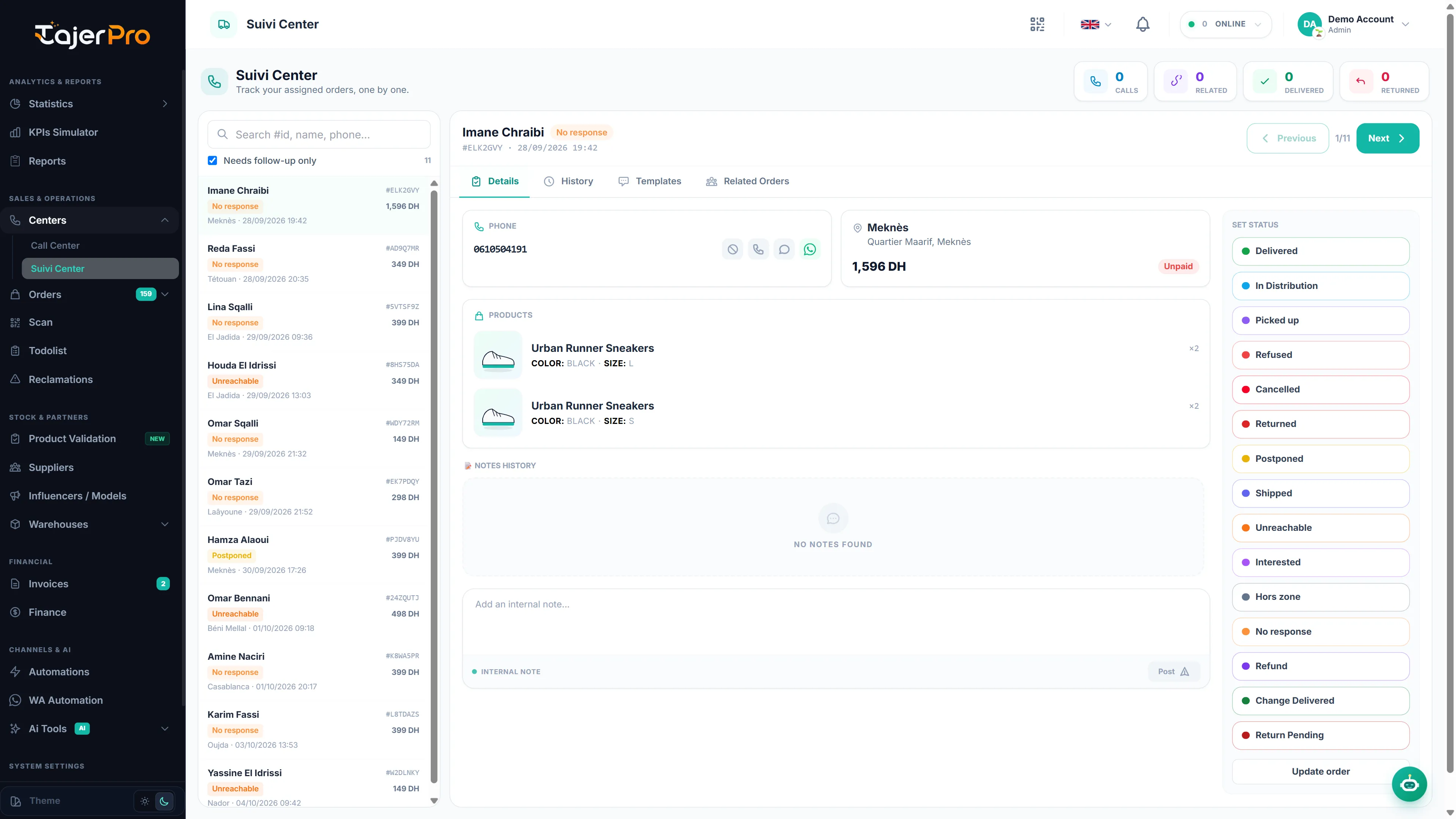
The Suivi Center is the tracking twin of the Call Center. It uses the exact same cockpit, but scoped to the post-confirmation / delivery phase: agents follow their assigned shipments one by one and update delivery statuses.
How it differs from the Call Center
Section titled “How it differs from the Call Center”- Queue — shows the agent’s assigned orders whose status is a Suivi (tracking) status. The toggle reads Needs follow-up only and narrows to orders that need attention (Injoignable, Pas de réponse, Reporté, Hors zone…).
- Set Status — lists the tracking statuses: Livré, Mise en distribution, Ramassé, Refusé, Annulé, Returned, Reporté, Expédié, Injoignable, Intéressé, Hors zone, Pas de réponse, Rembourssement, Change Livré, Return Pending.
- No Offers tab — upselling belongs to the confirmation phase, so the Offers tab is hidden here.
Everything else is identical: Details, History, Templates and Related tabs; calling and the blacklist check; one-tap status with a confirmation loader and auto-advance; and the same mobile experience (see Mobile usage).
Who sees what
Section titled “Who sees what”An agent with the Suivi role only sees orders assigned to them whose status is a tracking status. Owners see all suivi orders. Assign orders to fill each agent’s queue — see Statuses & assignment.