

Using it on mobile
The confirmation and tracking cockpits are built for phones too, so agents can work from anywhere. The desktop layout does not change.
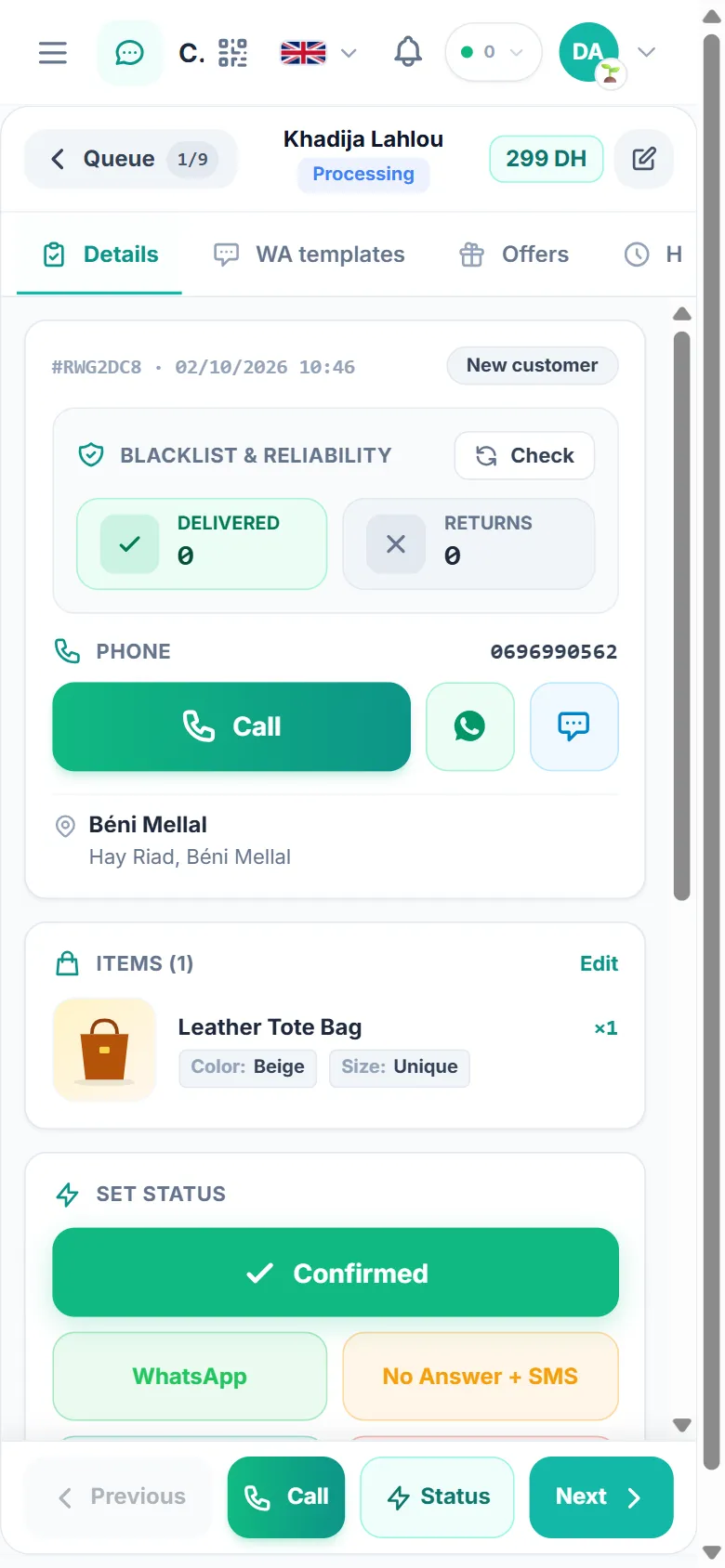
Queue and navigation
Section titled “Queue and navigation”- You see the queue first. Tap an order to open its cockpit full-screen.
- The Queue button at the top left takes you back to the list. It also shows where you are, for example 1/18.
- The top bar shows the customer’s name and status, the order total, and an edit button that opens the full order.
- The bar at the bottom stays on screen: Previous, Call, Status (jumps to the status buttons) and Next.
Swipe the row of tabs under the header: Details, Notes, WA templates, Offers (Call Center only), History and Related. A small number on a tab shows how many items it holds.
The Details tab
Section titled “The Details tab”- Customer badge: New customer, Reliable customer, Caution or High risk, based on this customer’s delivery history.
- Blacklist & reliability: the Delivered and Returns counts for this phone. Tap Check to refresh them.
- Call, WhatsApp and SMS buttons for the main phone, plus a second number when there is one.
- City and address. If the store sent a city TajerPro doesn’t know, tap Match the city first. Status buttons stay locked until the city is fixed.
- Items with color and size. Tap Edit to change them.
- Set status: one large button for the most common outcome (Confirmed in the Call Center, Delivered in the Suivi Center). Below it are the other frequent statuses. Tap More statuses to see the rest.
- Quick notes: one tap adds a ready-made note, such as No answer, Call back tonight or Address change. All notes → opens the Notes tab.
Templates, offers, history and the blacklist check work exactly as on desktop.