

Orders overview
Orders are the heart of TajerPro. Every order — whether you add it by hand, import it, or receive it automatically from a connected store — lands in the Orders lists, where you search, filter, edit, change status, dispatch and follow it all the way to delivery.
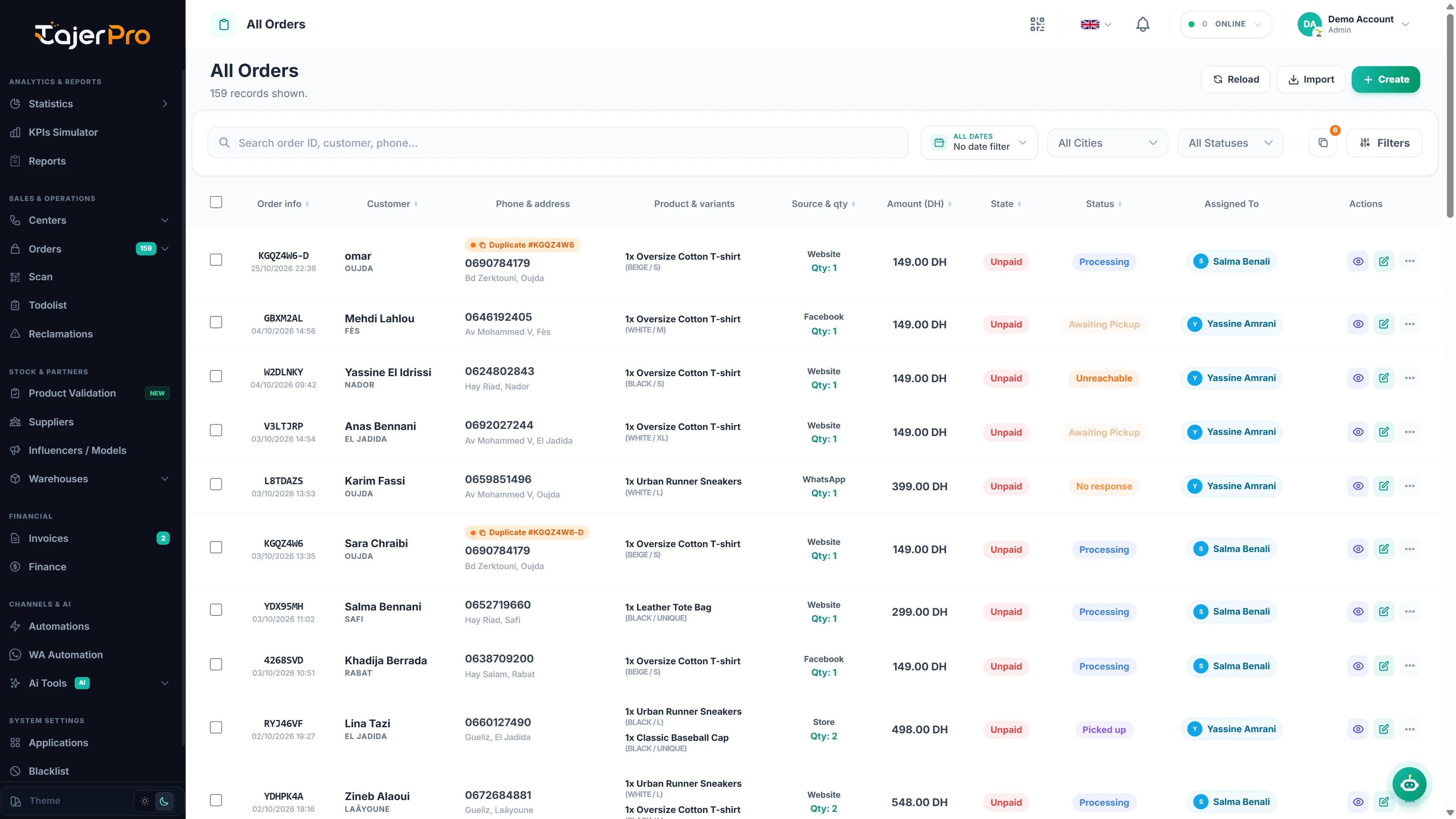
The order lists
Section titled “The order lists”Under Orders in the sidebar you’ll find several ready-made views, each scoped to a stage of the pipeline:
| List | What it shows |
|---|---|
| All Orders | Every order in your account |
| Processing | New orders awaiting confirmation (Processing / WhatsApp / Pas de réponse + SMS) |
| Confirmed | Orders confirmed and ready to ship |
| Suivi | Orders in the tracking phase (shipped, in distribution, etc.) |
| Duplicate | Orders flagged as possible duplicates |
| Annulé - Confirmed | Orders that were confirmed then cancelled |
Each list uses the same table and tools — only the base filter changes.
Columns at a glance
Section titled “Columns at a glance”The table shows Order info (id + date), Customer, Phone & address, Product & variants, Source & qty, Amount, State (payment), Status, Assigned To, and per-row Actions (view, edit, invoice, more).