

Delivery & dispatch
TajerPro connects to delivery carriers so you can dispatch orders to them and have their statuses sync back into the CRM automatically — no manual status updates.
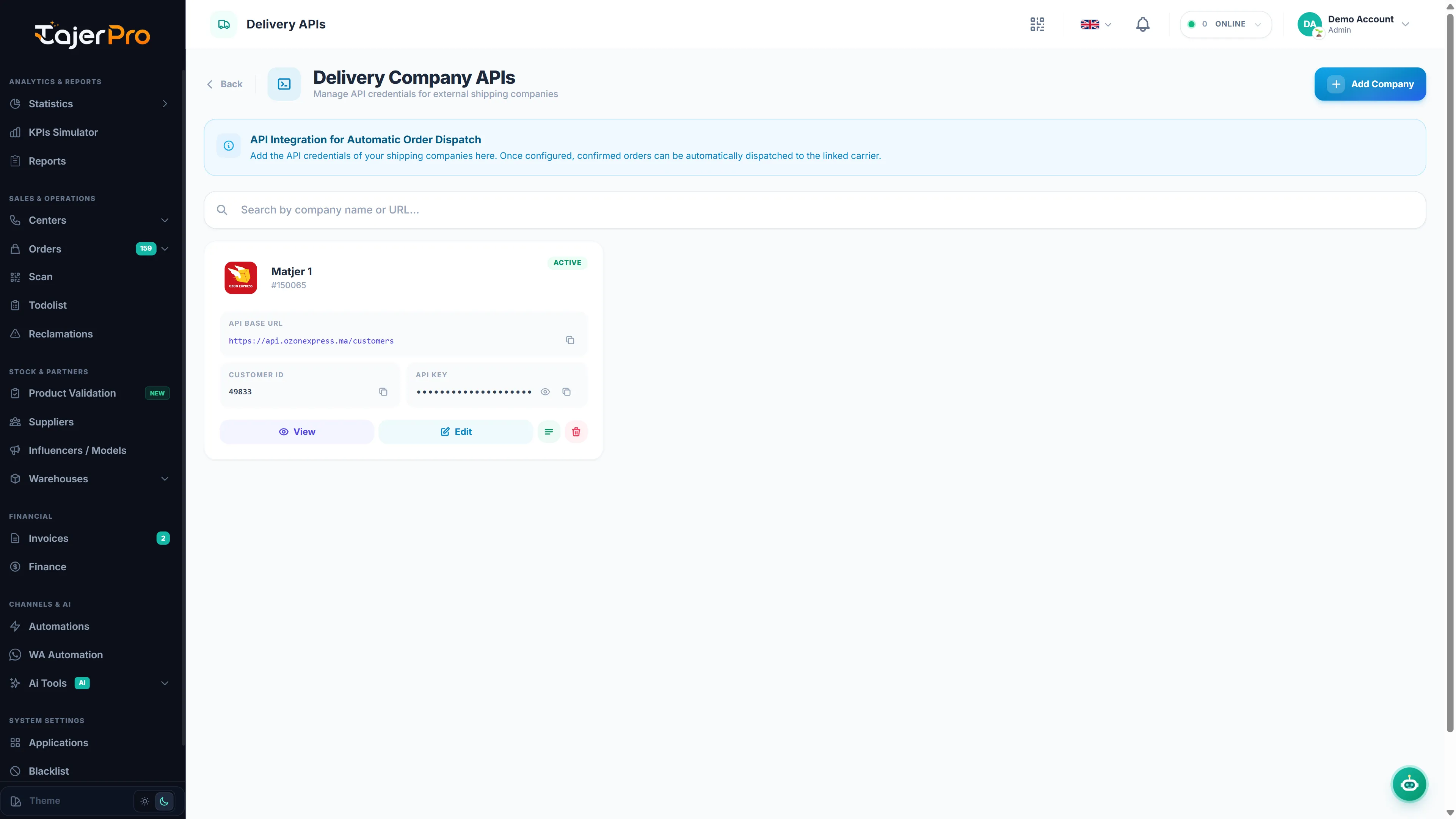
Connecting a carrier
Section titled “Connecting a carrier”Connect carriers from Applications (or Settings → Delivery APIs). TajerPro supports major Moroccan carriers out of the box — Ameex, Onessta, Sendit, Ozone Express, Cathedis, DigyLog, ForceLog, Olivraison, Express Coursier — each with the credentials it needs (API key, token, login…). See Delivery carriers.
Dispatching orders
Section titled “Dispatching orders”Once a carrier is connected, dispatch a confirmed order to it (individually or in bulk). TajerPro creates the parcel with the carrier and stores its tracking number. The carrier then reports back delivery events, which update the order’s status (Ramassé, Mise en distribution, Livré, Refusé, Returned…) and feed the Suivi Center and Delivery statistics.
You can also let TajerPro send orders by itself: turn on Automatic dispatch in the carrier’s Settings tab, and every order that reaches the status you choose (for example Confirmed) is sent to the carrier automatically. See Parcel options and automatic dispatch.
Supporting configuration
Section titled “Supporting configuration”- City Dictionary — orders reach the right carrier city automatically, with nothing to set up (see City Dictionary).
- Delivery rates — set per-city delivery / return / change fees per invoice type (Settings → Delivery rates); these feed reports and invoices.
- Invoice types — define the delivery invoice types used when billing carriers (Settings → Invoice types).
See Settings for all of these.