

Switch Business (several businesses)
If you run more than one store, you don’t need a second TajerPro account. Your login can hold several businesses, and you move between them in one click.
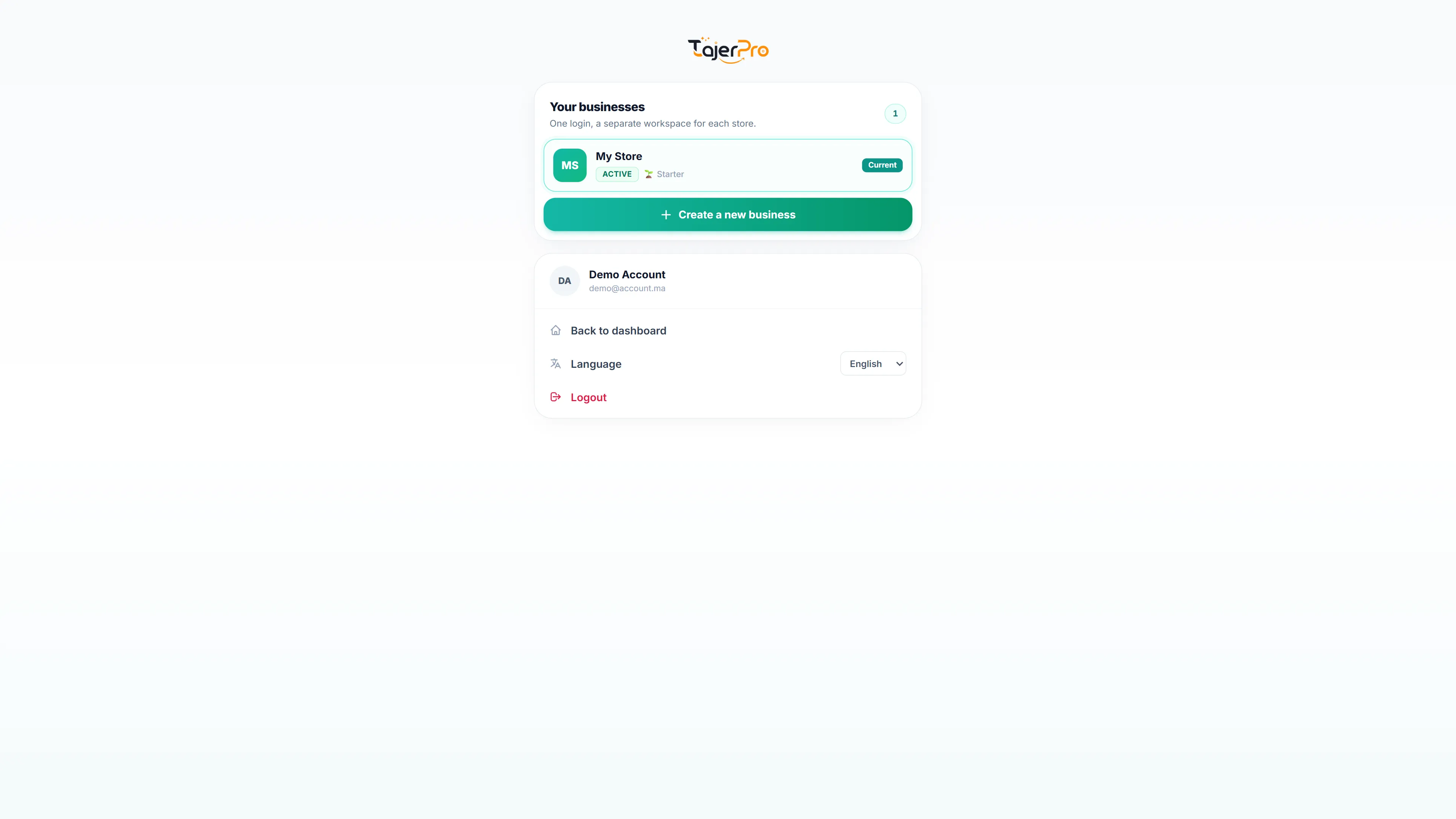
Each business is fully separate: its own orders, products, stock, money, team, settings, integrations and plan.
Create a new business
Section titled “Create a new business”- Click your profile (top right), then Switch Business. The Your businesses page opens.
- Click Create a new business, type its name and click Create.
TajerPro creates the business, with its own free trial, and opens it right away. Only the owner of the business you are in can create a new one. You can have up to 10 businesses.
Switch between businesses
Section titled “Switch between businesses”The Your businesses page (profile menu › Switch Business) lists the businesses of your login with their status and plan; the one you are using is marked Current. Click another one and TajerPro opens it. No password is asked. The same page also has your language and Logout.
Delete a business
Section titled “Delete a business”On the Your businesses page, click the bin next to a business and type its name to confirm. All its data is deleted for good (orders, products, stock, money, team, settings, integrations). The business you log in with, and the one you are using, can’t be deleted: switch to another one first.
Plans and team
Section titled “Plans and team”- Each business has its own plan and is paid separately, like any TajerPro account.
- Team members are added per business in Roles & permissions. A member of one business does not see the others.
Log out
Section titled “Log out”Logout signs you out of TajerPro. Next time, log in with your usual email and switch to the business you need.