

Call Center overview
The Call Center is a focused cockpit for confirmation agents. Instead of hunting through long order lists, each agent gets a personal queue and works it one order at a time — call, set the outcome, send a template, add an upsell, move on.
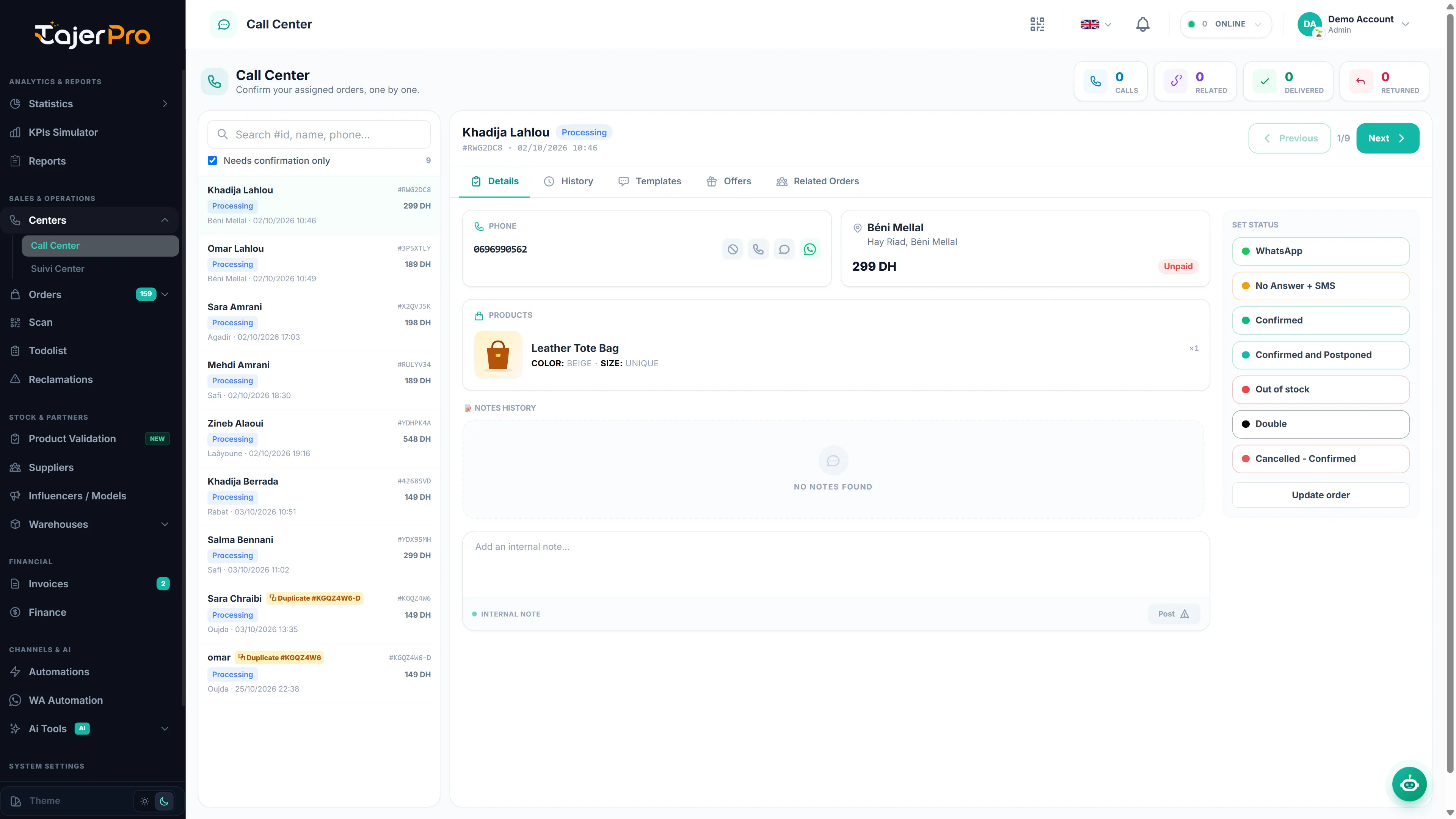
Layout
Section titled “Layout”- Queue (left) — the orders assigned to the agent that still need confirmation. A search box and a Needs confirmation only toggle narrow the list; a counter shows how many remain.
- Order panel (right) — the selected order with tabs: Details, History, Templates, Offers and Related Orders, plus Previous / Next navigation.
- Set Status (right column) — one-tap buttons for the confirmation outcomes.
- Stat cards (top) — per-order Calls, Related orders, and the customer’s Livré / Returned history from the blacklist check.
Who sees what
Section titled “Who sees what”An agent with the CallCenter role only sees orders assigned to them whose status is a confirmation status. Owners and managers see the full picture. Assignment is what fills each agent’s queue — see Statuses & assignment.