

WhatsApp Automation
WA Automation is where TajerPro talks to your customers on WhatsApp — automatically when an order changes status, in bulk with campaigns, or one tap at a time from the Call Center.
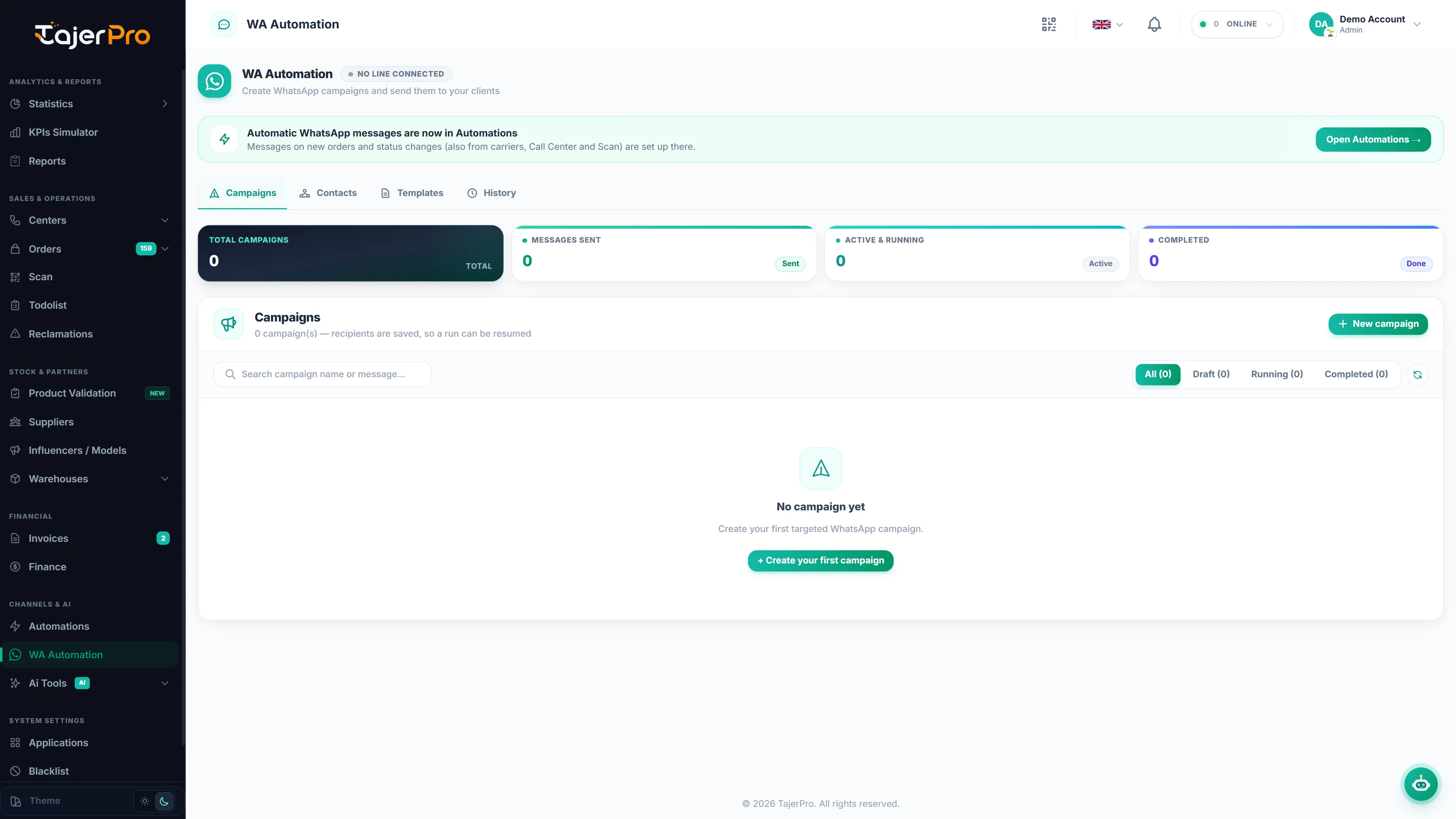
The page has four tabs:
| Tab | What it does |
|---|---|
| Campaigns | Send one message to a filtered list of clients — see WhatsApp campaigns. |
| Automation | Send a message automatically when an order is created or reaches a status — see Automatic messages. |
| Templates | Reusable messages (text + optional image) for the Call Center and Suivi Center — see Templates. |
| History | Every message sent, with time, order, client, message, the number it was sent from (Via), the Trigger and the delivery Status. |
Linking a WhatsApp number
Section titled “Linking a WhatsApp number”Numbers are linked from Applications → WhatsApp (WhatsApp Management):
- Click Link New WhatsApp.
- Choose how to connect:
- QR Code — quick, no approval needed. Open WhatsApp on your phone → Settings → Linked devices → Link a device and scan the code. You can also get a pairing code instead of scanning.
- WhatsApp Business API — the official Meta Cloud API, most reliable at scale. Paste the Phone number ID and Access token from your Meta app.
- Once the status shows Connected, the number can send automatic messages, campaigns and templates.
From the same list you can View chats, Reconnect, Logout or Delete a number.
How many numbers and messages
Section titled “How many numbers and messages”The number of WhatsApp numbers you can link depends on your plan:
| Plan | Numbers | Messages per day (account) |
|---|---|---|
| Starter | 2 | 500 |
| Pro | 3 | 2,000 |
| Business | 6 | 5,000 |
Each number also has its own daily limit (200 messages), so one line never absorbs the whole allowance — a protection against WhatsApp bans. When a limit is reached, sending stops until the next day. See Account & billing to change plan.
Tips to avoid bans
Section titled “Tips to avoid bans”TajerPro protects every linked number automatically: messages are paced and sent in a natural, human-like way, and photo sending is limited, so your number isn’t flagged as spam. If WhatsApp logs a number out, Reconnect shows a new QR code to link it again.
What you can do:
- Use Multi-Variations (Anti-Ban Pro) in automatic messages, and
{Hello|Hi}variations in campaigns, so clients don’t all receive the exact same text. - Keep campaign delays long (the default is 6 seconds, with random variation).
- Spread sending over several numbers with Round-Robin Distribution.
- Message clients who ordered from you (campaigns are built from your orders).
- Don’t link the same number to another messaging tool at the same time.
- If a number gets blocked, wait the full block period before linking it again, and link it once. For a high volume of automatic replies, prefer the WhatsApp Business API link.